Nanoleaf Shapes Review (2026): Is It Worth It?
Nanoleaf Shapes Review 2026: Worth $219.99?
Last updated: October 7, 2026 | Price checked: October 7, 2026 | Based on 3,000+ user ratings and official specifications
Quick Verdict
Is the Nanoleaf Shapes worth it? Only if you use Apple HomeKit and want touch controls. For everyone else, Govee offers more stable performance for less money. The Shapes are visually stunning — but you’re paying for uniqueness, not reliability.
| Pros | Cons |
|---|---|
| ✅ Unique hexagonal design | ❌ Wi-Fi 2.4GHz only |
| ✅ Touch Actions (rare among smart panels) | ❌ App is laggy and buggy |
| ✅ Native Apple HomeKit | ❌ Included adhesive fails for some users |
| ✅ Matter/Thread support (newer controllers) | ❌ Requires Bluetooth for setup |
| ✅ 100 lumens per panel (white version) | ❌ Ultra Black = 10 lumens only |
Rating: 7.2/10
Price: From $109.99 (varies by kit size and variant) — check current price
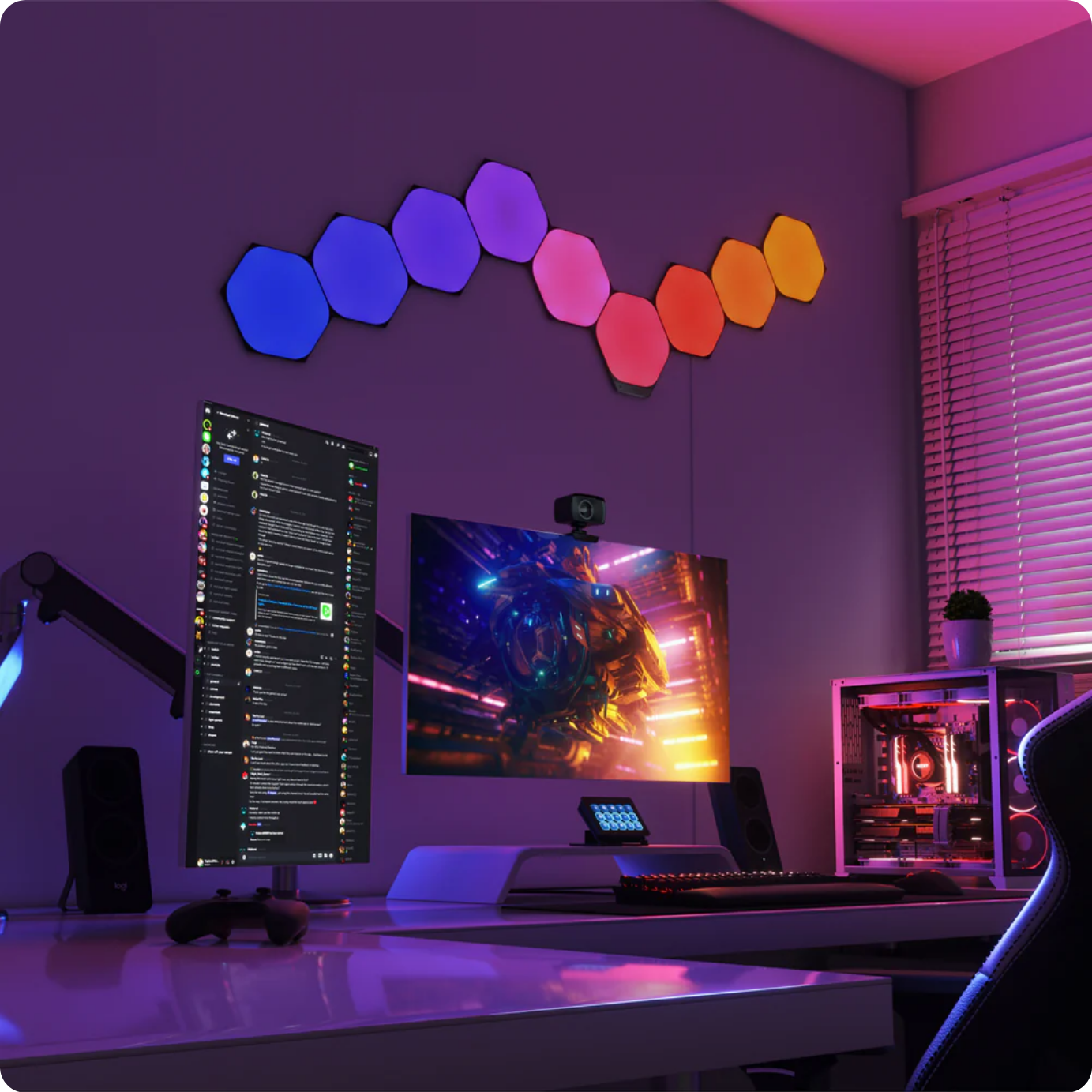
Table of Contents
- What You Actually Get
- Full Specifications
- Hidden Costs Nobody Mentions
- Setup: Realistic Time and Surface Requirements
- Wi-Fi 2.4GHz + Bluetooth: Root Cause and Fix
- App Review: What Works, What Doesn’t
- Brightness: Ambiance vs Illumination
- Matter and Thread: What You Actually Get
- Touch Actions: The Killer Feature
- Maximum Panels Per Power Source
- Ultra Black Warning: 10 Lumens Trap
- Gaming Integration: Razer Chroma, Corsair iCUE, Overwolf
- Nanoleaf vs Govee vs Philips Hue
- Who Should Buy (And Who Should Skip)
- FAQ
- Final Score
1. What You Actually Get
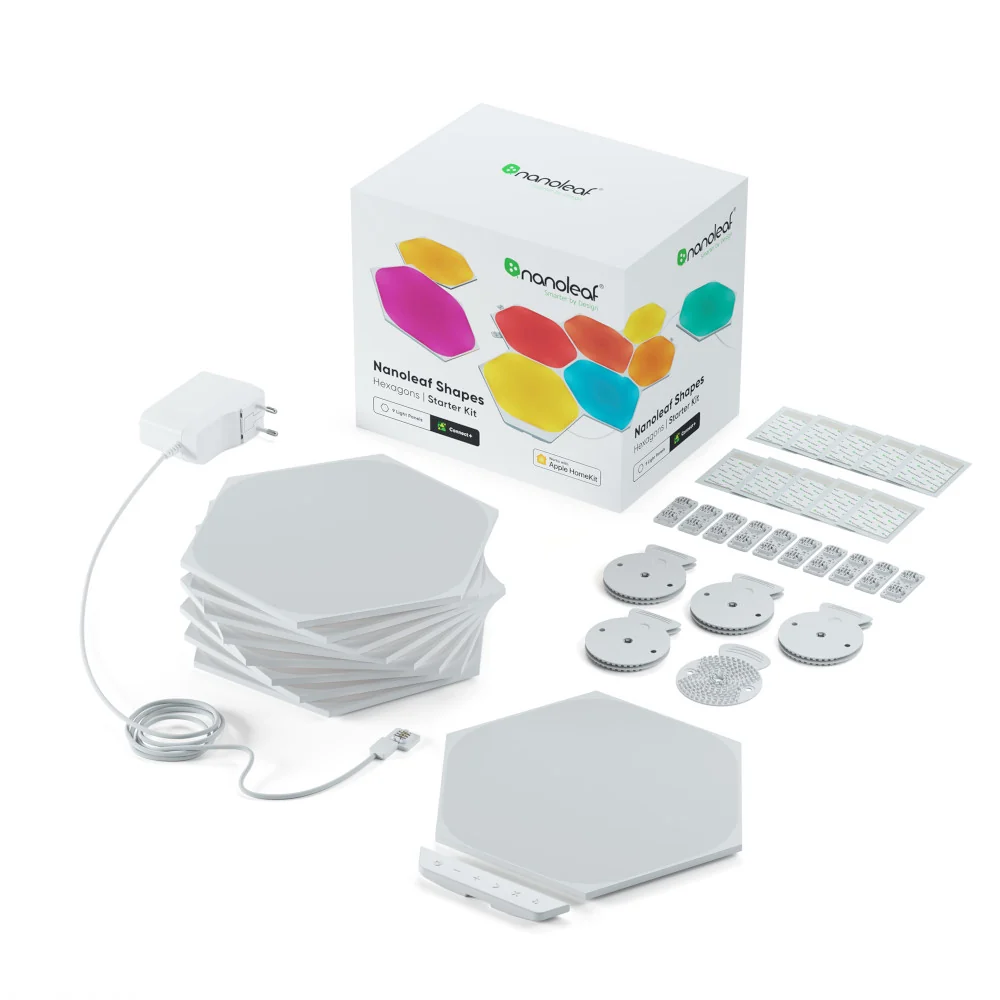
The box contains: panels (5, 9, or 15 depending on kit), controller, power supply, rigid linkers, mounting plates, and mounting tape.
Warranty: 2 years. Return window: 30 days.
Current price: From $109.99 (varies by variant) — check current deal here.
2. Full Specifications
| Specification | Value |
|---|---|
| Hexagon Dimensions | 23 × 20 cm |
| Weight Per Panel (Hexagon) | 208 g |
| Mounted Thickness | 1 cm (0.39 in) |
| Luminous Flux (White Hexagon) | 100 lumens |
| Luminous Flux (Ultra Black Hexagon) | 10 lumens |
| Luminous Flux (White Triangle) | 80 lumens |
| Luminous Flux (Ultra Black Triangle) | 8 lumens |
| Luminous Flux (Mini Triangle) | 20 lumens |
| Color Temperature | 1200K – 6500K |
| Color Rendering Index (CRI) | 80 |
| LED Lifetime | 25,000 hours |
| Communication Protocol | Wi-Fi 2.4 GHz b/g/n (5 GHz NOT compatible) |
| Bluetooth | Required for setup |
| Max Panels per 42W Power Supply | 21 Hexagons / 28 Triangles |
| Max Panels per Controller | 500 Hexagons |
| Thread Border Router | Yes (requires Firmware 8.5.2+) |
3. Hidden Costs Nobody Mentions
Every review says “from $109.99.” None mention the extras. Here’s the breakdown:
- Adhesive replacement: $15–20. The included tape fails after 2–4 weeks for some users.
- Screw Mount Kit (official): €4.99–€9.99. Designed for ceilings, uneven, or porous surfaces where tape won’t work.
- Time: 45–90 minutes realistic setup, not 15.
- Wi-Fi split: If your router merges bands, you’ll spend 1–2 hours fixing it.
“After 20 days of purchase, the adhesive was insufficient and it fell. The included 3M tape is too little — buy extra just in case.” — Amazon Japan review
“The only issue here is the included mounting tape. Twice it dropped from my wall. So you have to make sure you have extra mounting tape to use it.” — Amazon UAE review
4. Setup: Realistic Time and Surface Requirements
Nanoleaf says “install on any flat surface with included adhesive tape; no additional tools required.” Technically true. Practically misleading.
Surface requirements:
- Must be clean, smooth, non-porous. Textured wallpaper or brick won’t work with tape.
- Adhesive may damage paint depending on surface and paint quality. Nanoleaf states the tape is designed to minimize damage if installed and removed correctly.
- For ceilings, uneven, or porous surfaces: use the official Screw Mount Kit (sold separately).
- Plan layout with the app’s AR preview before committing.
- Bluetooth must be enabled on your phone for setup.
Realistic setup time: 45–90 minutes.
5. Wi-Fi 2.4GHz + Bluetooth: Root Cause and Fix
Official spec: Wi-Fi 2.4 GHz only. 5 GHz networks are not compatible. Bluetooth is required during setup.
What this means in practice:
- If your router merges 2.4GHz and 5GHz into one SSID, pairing will fail repeatedly.
- You must manually split bands or disable 5GHz entirely.
- Bluetooth must be on for initial pairing.
- Apple users report more severe issues than Android users.
“Took over an hour to get these to connect. They worked for 2 minutes before being unresponsive. Had to power cycle to recover them.” — Amazon UK review
“I am an Apple user and my Android friend didn’t have these issues. Even though the first one connected fine without turning off 5GHz, the second only connected once I did this.” — Amazon UK review
Fix: Log into your router → separate 2.4GHz and 5GHz SSIDs → connect Shapes to 2.4GHz only → enable Bluetooth on your phone.
6. App Review: What Works, What Doesn’t
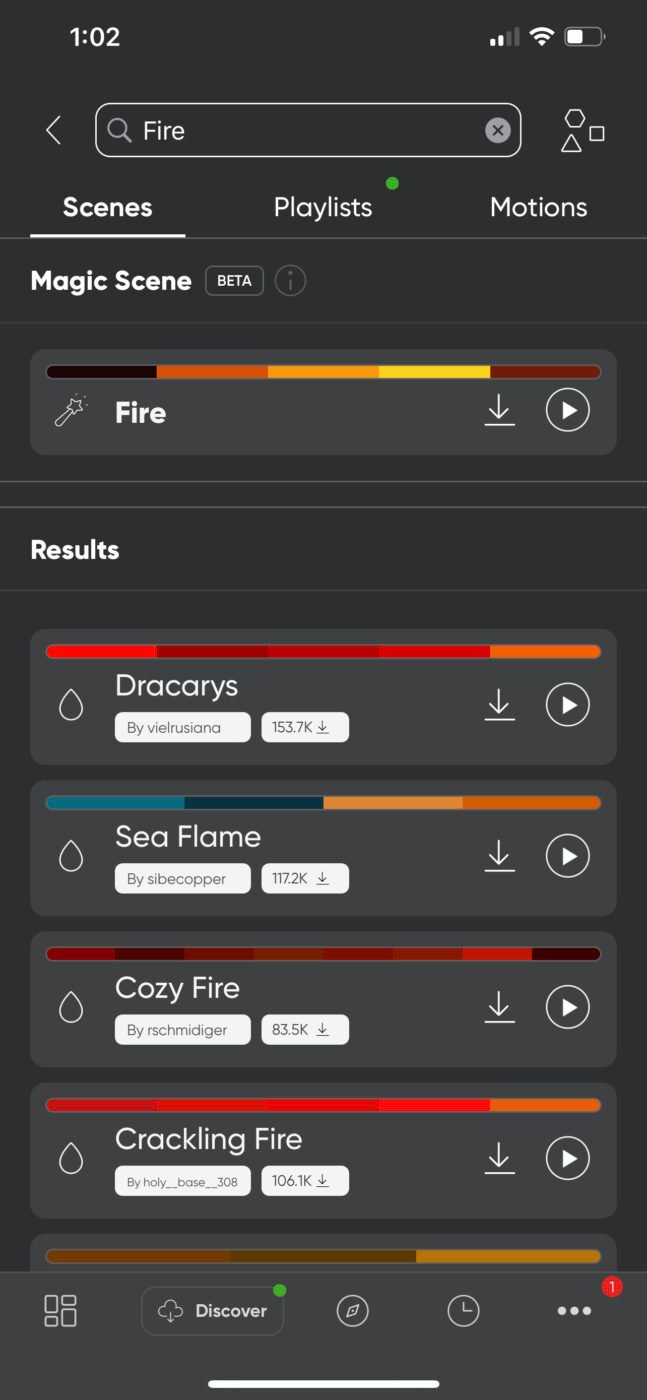
What works: Scene preview, AR layout assistant, community scene downloads.
What doesn’t: Connection stability, scene management limits, firmware update bugs.
“Shortest instructions I’ve ever seen. Even the button functions on the controller aren’t described. I had to Google almost everything.” — Amazon Czech review
7. Brightness: Ambiance vs Illumination
At 100 lumens per panel (white hexagons), Shapes are accent lighting, not illumination.
| Model | Lumens/Panel | Use Case |
|---|---|---|
| White Hexagons | 100 | Accent, ambiance |
| White Triangles | 80 | Accent, ambiance |
| Mini Triangles | 20 | Decorative accents only |
| Ultra Black Hexagons | 10 | Decorative only |
| Ultra Black Triangles | 8 | Decorative only |
9 panels × 100 lumens = 900 lumens total, spread across a wall. A $15 desk lamp outputs 400–800 focused lumens. Shapes are for vibe, not visibility.
8. Matter and Thread: What You Actually Get
Nanoleaf lists “Works as a Thread Border Router.” This is true — if you have:
- Firmware 8.5.2 or newer
- A compatible Thread network already running
- For Matter integration: a Matter hub from your chosen ecosystem (Apple HomePod, Google Nest Hub, etc.)
Nanoleaf’s Thread Border Routers do not function as a home hub. To connect via Matter, a home hub from your ecosystem is required.
The Shapes can act as a Thread Border Router for other Nanoleaf Essentials devices, but the panels themselves connect via 2.4GHz Wi-Fi. Matter support is real but doesn’t fix the fundamental connection issues.
9. Touch Actions: The Killer Feature
This is Nanoleaf’s standout feature. Tap a panel → trigger smart home scene. This is rare among smart panel competitors.
Use cases:
- Tap top panel → “Movie Night” scene
- Tap bottom panel → “All Lights Off”
- Double-tap → cycle brightness
Limitation: Requires Nanoleaf app to configure. If app breaks, Touch Actions break.
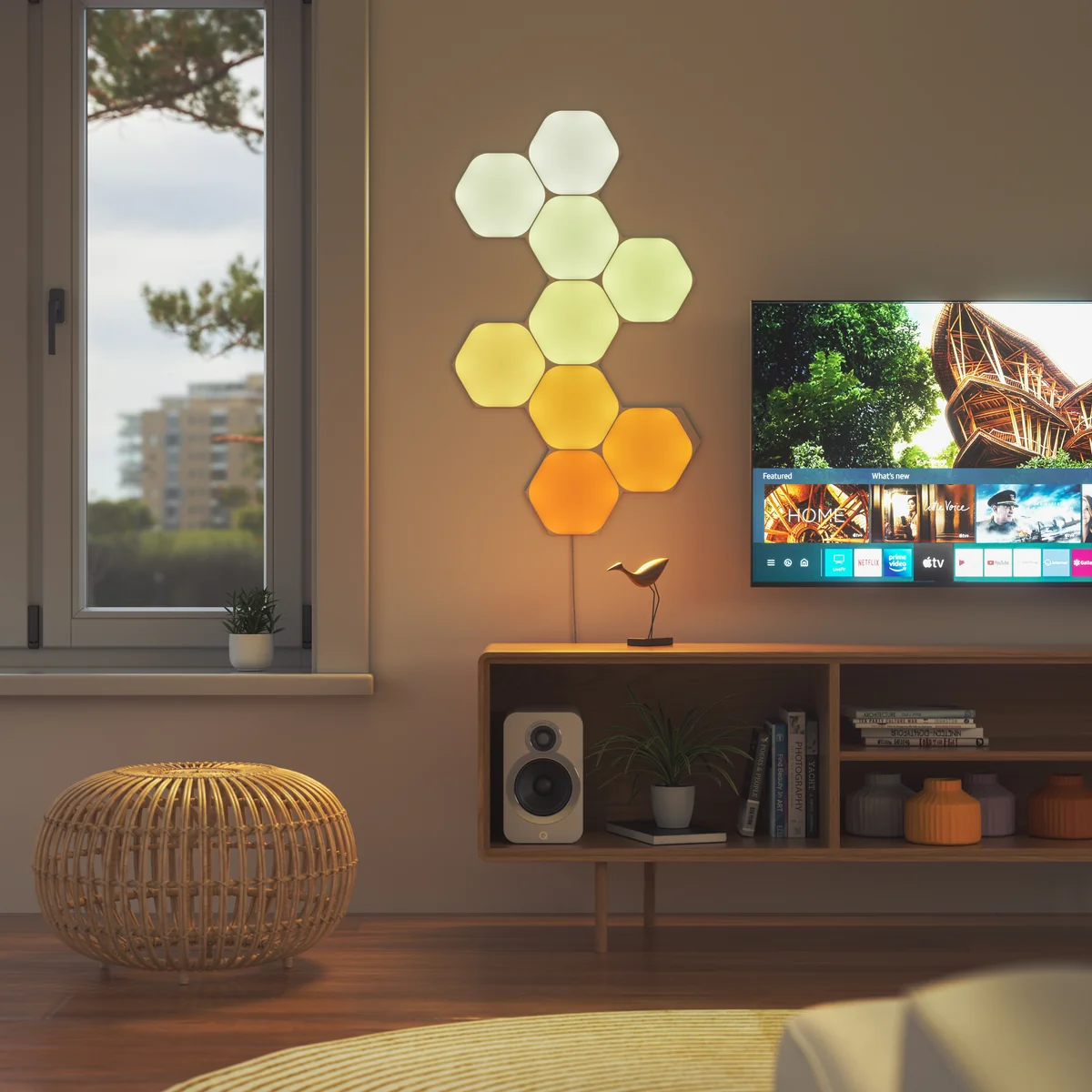
10. Maximum Panels Per Power Source
According to Nanoleaf’s official specifications:
| Shape | Max Panels per 42W PSU | Max Panels per Controller |
|---|---|---|
| Hexagons | 21 | 500 |
| Triangles | 28 | 500 |
| Mini Triangles | 77 | 500 |
Mixing shapes: You can mix Hexagons, Triangles, and Mini Triangles using Connect+ linkers. Shapes can also connect with Nanoleaf Elements.
11. Ultra Black Warning: 10 Lumens Trap
Avoid Ultra Black unless you want decorative darkness. 10 lumens per panel (vs 100 for white hexagons). They look stunning when off. They’re nearly useless when on.
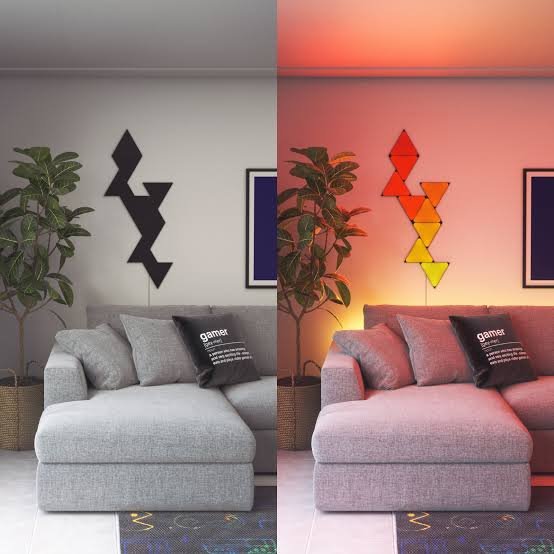
12. Gaming Integration: Razer Chroma, Corsair iCUE, Overwolf
For gamers, Nanoleaf Shapes integrate with:
- Razer Chroma — sync lighting with Razer peripherals and supported games
- Corsair iCUE — sync with Corsair ecosystem
- Overwolf — in-game reactive effects for supported titles
This makes Shapes a strong choice for battlestation setups beyond just Apple HomeKit users.
13. Nanoleaf vs Govee vs Philips Hue
| Feature | Nanoleaf Shapes | Govee Glide Hexa | Philips Hue |
|---|---|---|---|
| Price (9 panels) | From $109.99 (varies) | ~$120–150 | No direct competitor |
| Connection | ❌ 2.4GHz only + Bluetooth | ✅ More stable | ✅ Zigbee |
| App | ❌ Laggy | ⚠️ Cluttered | ✅ Best-in-class |
| HomeKit | ✅ Native | ⚠️ Select models | ✅ Native |
| Matter/Thread | ✅ Recent controllers | ❌ Most: no | ✅ Via Bridge |
| Touch Controls | ✅ Rare feature | ❌ No | ❌ No |
| Screw Mount Option | ✅ Official kit available | ⚠️ Limited | N/A |
14. Who Should Buy (And Who Should Skip)
✅ Buy if:
- You use Apple HomeKit as your primary smart home platform
- You want Touch Actions — rare among competitors
- You need official screw mounting for ceilings or porous surfaces
- You’ll buy extra adhesive or Screw Mount Kit before mounting
- You understand this is decorative lighting, not room illumination
- You want gaming integration (Razer Chroma, Corsair iCUE, Overwolf)
❌ Skip if:
- You want “set it and forget it” — buy Govee
- You use Android/Google Home — connection issues are worse
- You need functional room lighting — 100 lumens/panel won’t cut it
- You’re tempted by Ultra Black discounts — 10 lumens/panel is a trap
- You rent and can’t damage walls — adhesive may strip paint
15. FAQ: Nanoleaf Shapes
Is the Nanoleaf Shapes worth it?
Only if you use Apple HomeKit and want touch controls. For everyone else, Govee offers more stable performance for less money.
How many panels can one power supply support?
21 Hexagons, 28 Triangles, or 77 Mini Triangles per 42W power supply. Maximum 500 panels per controller.
Does Nanoleaf Shapes damage paint?
May damage paint depending on surface and paint quality. Nanoleaf states the tape is designed to minimize damage if installed and removed correctly. For problematic surfaces, use the official Screw Mount Kit.
Can I use Nanoleaf Shapes without Wi-Fi?
Limited. Touch Actions work without Wi-Fi, but scene setup, music sync, and screen mirror require the app and a 2.4GHz Wi-Fi connection.
Does Nanoleaf Shapes require Wi-Fi 5GHz?
No. Only 2.4GHz. Bluetooth is also required for setup.
Are Nanoleaf Shapes Ultra Black bright?
No. Only 10 lumens/panel for hexagons (vs 100 standard). Triangles output only 8 lumens.
Do I need to buy extra adhesive?
Recommended. Included tape fails after 2–4 weeks for some users. For ceilings or uneven surfaces, buy the official Screw Mount Kit.
Does Nanoleaf Shapes support Matter?
Yes, recent controllers. Thread Border Router built-in, but a Matter hub from your ecosystem is required for Matter integration.
Can I mix different shapes?
Yes. Hexagons, Triangles, and Mini Triangles can be connected using Connect+ linkers. Shapes can also connect with Nanoleaf Elements.
16. Final Score: 7.2/10
| Category | Score | Notes |
|---|---|---|
| Design & Visuals | 9/10 | Nothing else looks like it |
| Build Quality | 7/10 | Solid plastic, flimsy linkers |
| App & Software | 4/10 | Laggy, buggy |
| Connection Reliability | 4/10 | 2.4GHz only + Bluetooth required |
| Value for Money | 6/10 | Pay for uniqueness |
| Overall | 7.2/10 |
Bottom line: Nanoleaf Shapes are the most beautiful frustrating product you’ll mount on your wall. When they work, the effect is unmatched. But you’re buying a project, a troubleshooting hobby, and a commitment to Nanoleaf’s ecosystem.
At $109.99–$219.99 + potential extras + 2 hours of your life, it’s an informed gamble.
Update Log
- October 7, 2026: Updated with official specs. Corrected adhesive claims. Added Screw Mount Kit info. Updated affiliate link. Added max panel specs. Added gaming integration section.
- September 15, 2026: Added Matter/Thread section. Updated comparison table.
Disclosure: This article may contain affiliate links. If you buy through these links, we may earn a small commission at no extra cost to you. This does not affect our editorial independence.
Sources: Nanoleaf official product pages, official user manuals, Amazon user reviews, Nanoleaf support documentation.